Sauna
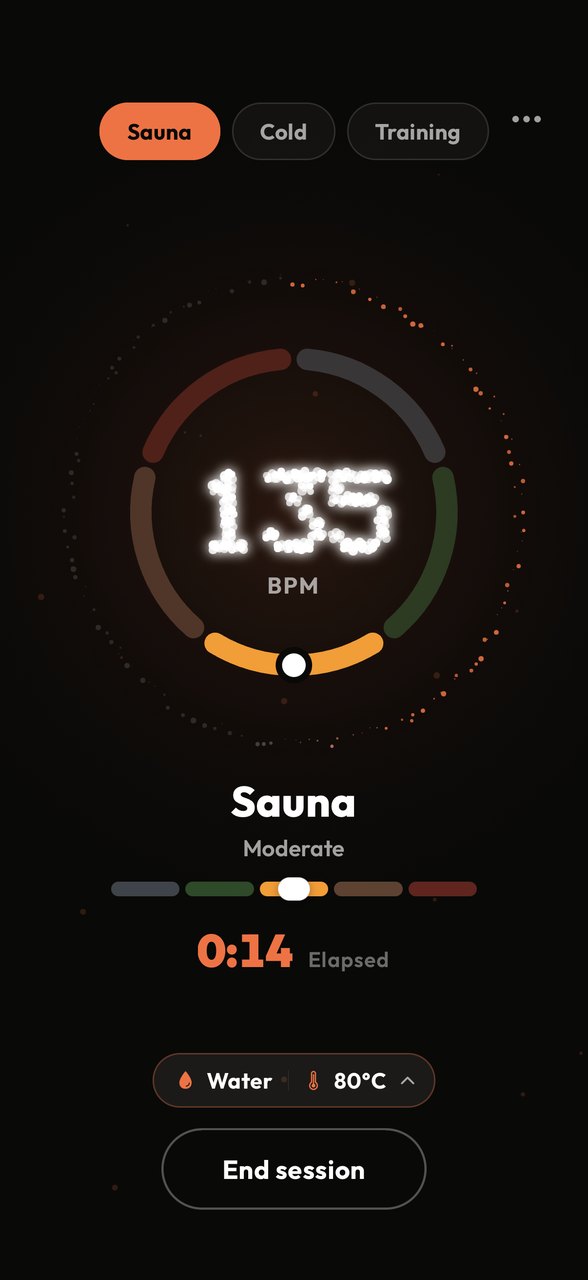
Live heart rate placed into five effort zones plus a Sauna Load score. On the lock screen and Dynamic Island while you sit.
You know the temperature. You know the time.
See your live heart rate, understand your effort zone and capture your complete training-to-cold routine in one simple app.
Know your zones.
Works with
Your stack
SaunaMind is the hub for heat and cold. It listens to the sensors you already own — a chest strap, a Garmin watch, or an Apple Watch through Apple Health — and reads resting heart rate from Apple Health, and readiness from Oura and WHOOP. Every finished session goes back out to where you keep your fitness life: Apple Health as a workout, Strava as an activity, Instagram as a share card. Updates arrive in the background, so the app is current before you open it.
Reviews
A note from the founder
SaunaMind started because I had one simple question: what is my heart actually doing through my entire training and recovery routine — from lifting weights, to sitting in a ridiculously hot sauna, to voluntarily jumping into freezing water afterwards?
Apparently, relaxing normally wasn’t enough for me.
I was already using a Polar strap, Garmin watch, Oura Ring, Apple Health and Strava, but all my information lived in different places. I wanted one simple app that brought everything together, helped me understand my heart-rate zones and allowed me to share the suffering — I mean progress — with my mates.
After more than 180 sauna sessions and counting, SaunaMind has become something I genuinely use and believe in. It was created from my own routine, curiosity and passion for training and recovery.
Now I want to share it with anyone who wants to train, recover and better understand how their body responds — without needing a science degree to use the app.
Know Your Zones. Own Your Recovery.
“I’ve been looking for a sauna / heat tracking app to track both my sauna sessions and hot baths. I use them for both my recovery and to do passive heat training. I’ve tried so many other apps until I found SaunaMind. It’s the first one I’ve found that lets you connect your Heart Rate monitor and view it live, and then also feeds that data back to Apple health to distribute to my other apps and calculate the sessions strain and also track my hr trends over time.”
 Cameron
Know your zones.
“I don’t use sauna application but have found the training section of this app to be invaluable in aiding me to keep within planned zone based on my training plan. It syncs with my Oura ring and has become key to measure whether my training output was a success. Also like the colour scheme and the fact it reminds me to drink water!”
 Ashley
Know your zones.
How it works
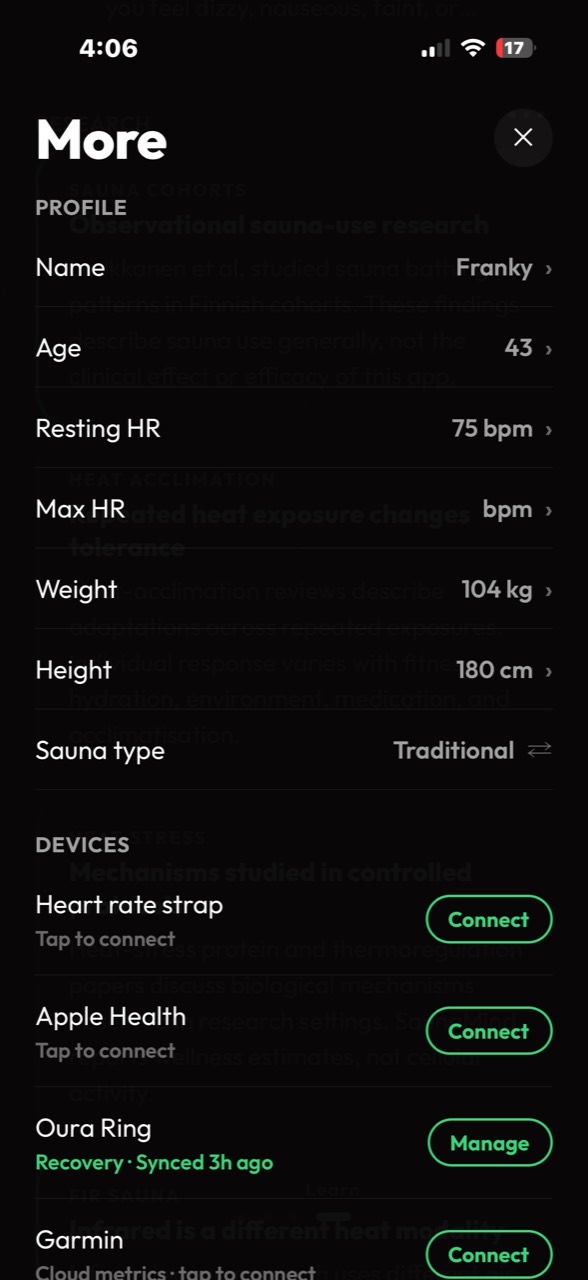
Pair a Bluetooth chest strap or Garmin once from More › Devices. You can still log a session without one.
Choose Training, Sauna or Cold — or capture the complete sequence as one routine.
Watch your heart rate and effort zone change live while your session is underway.
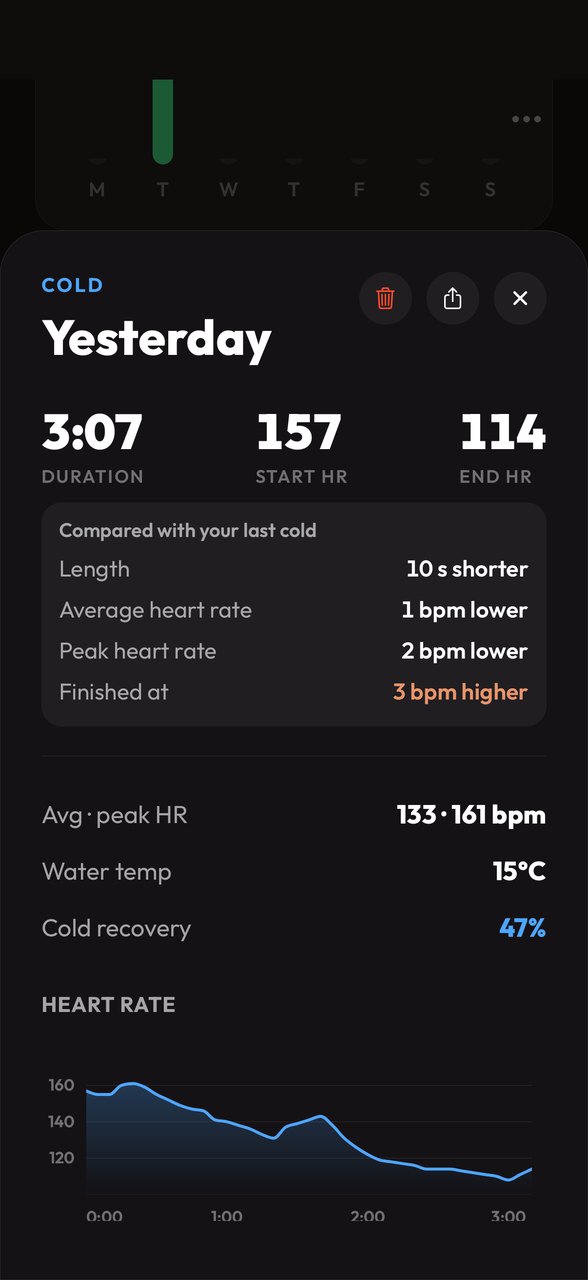
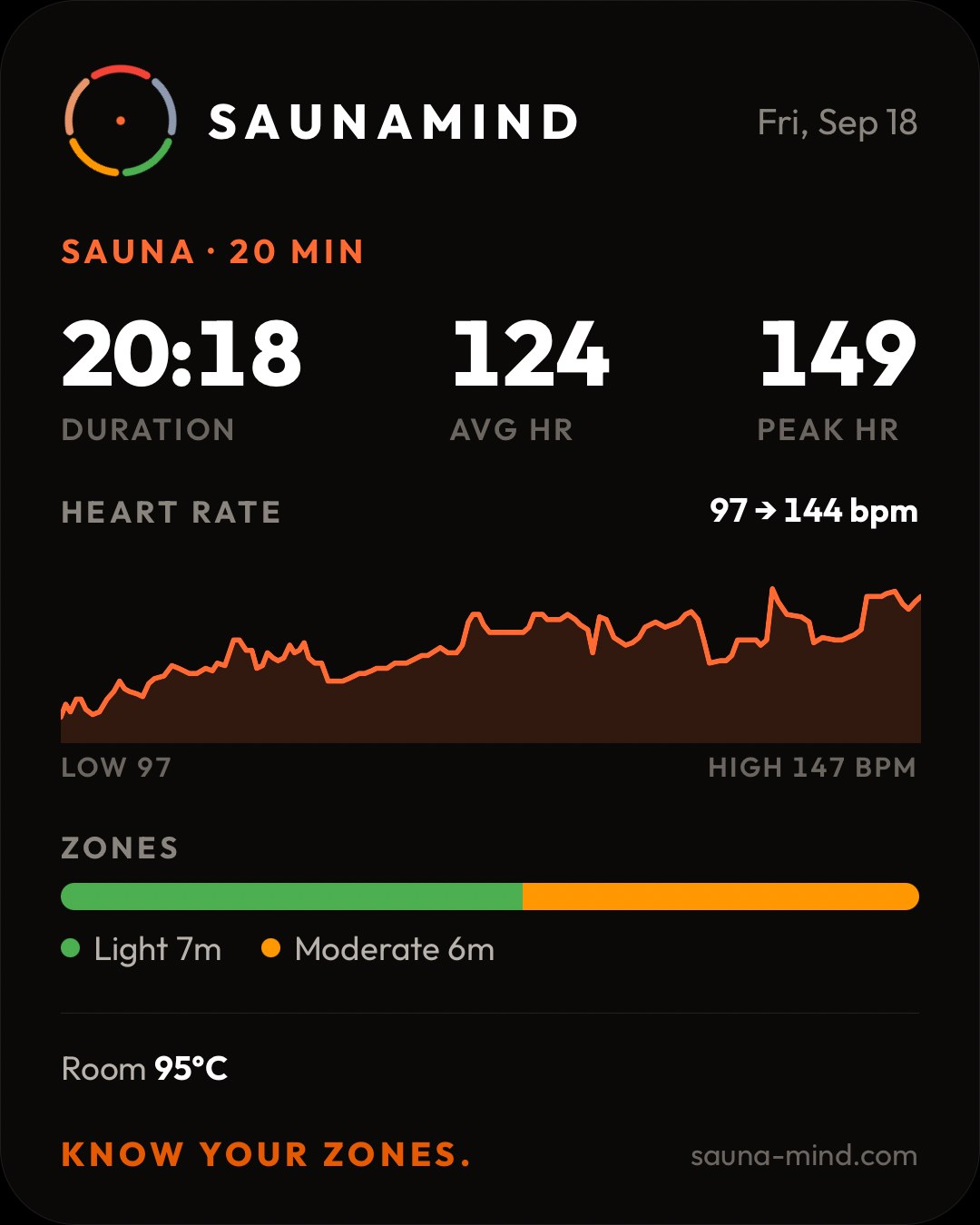
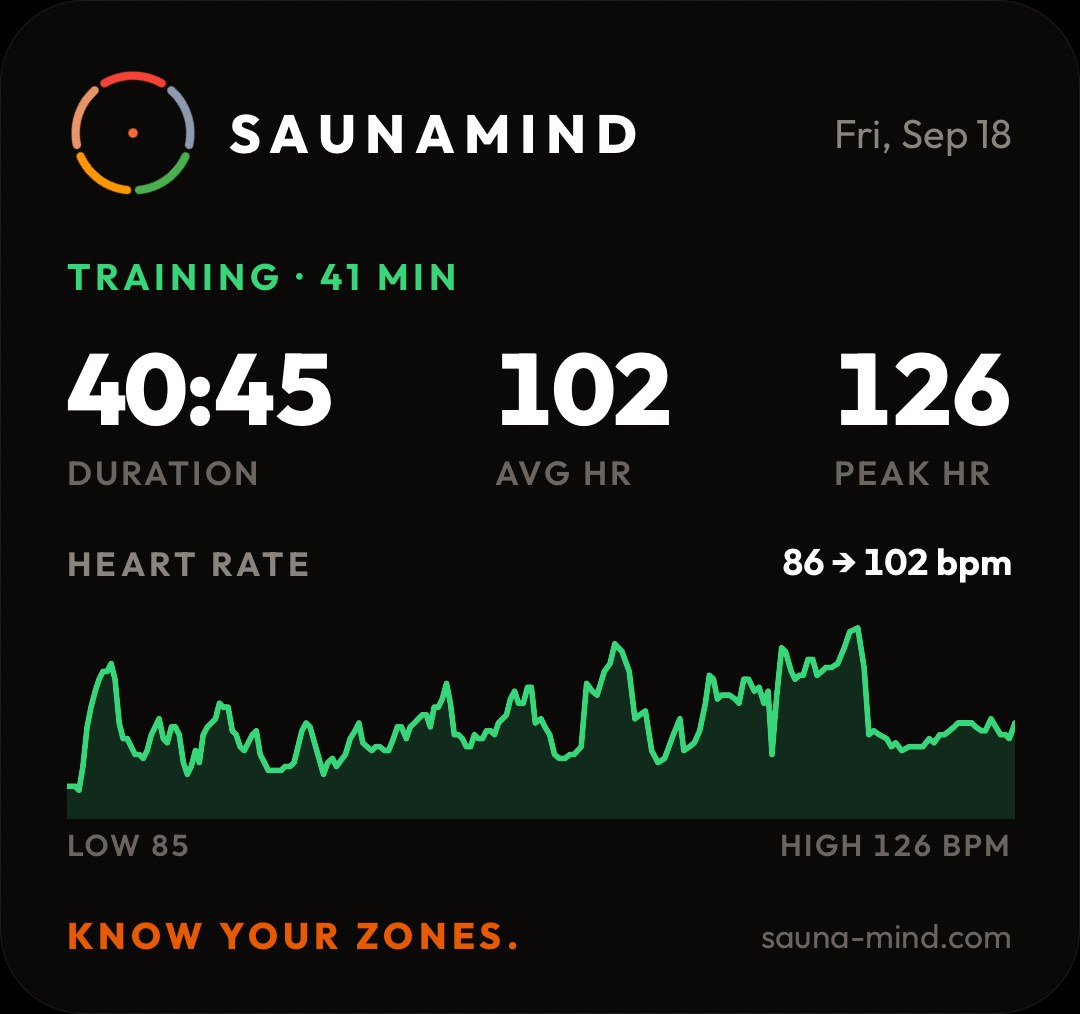
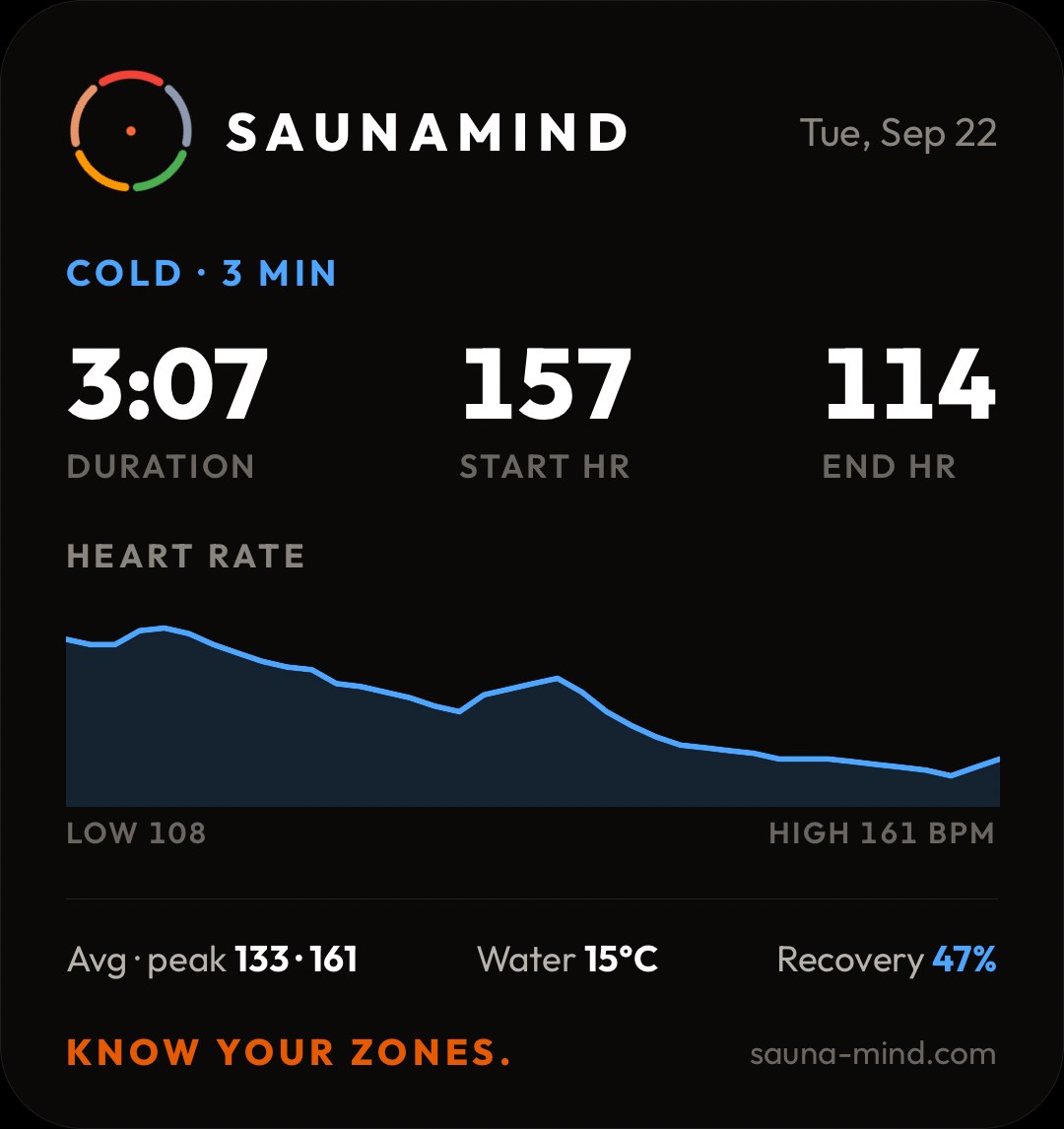
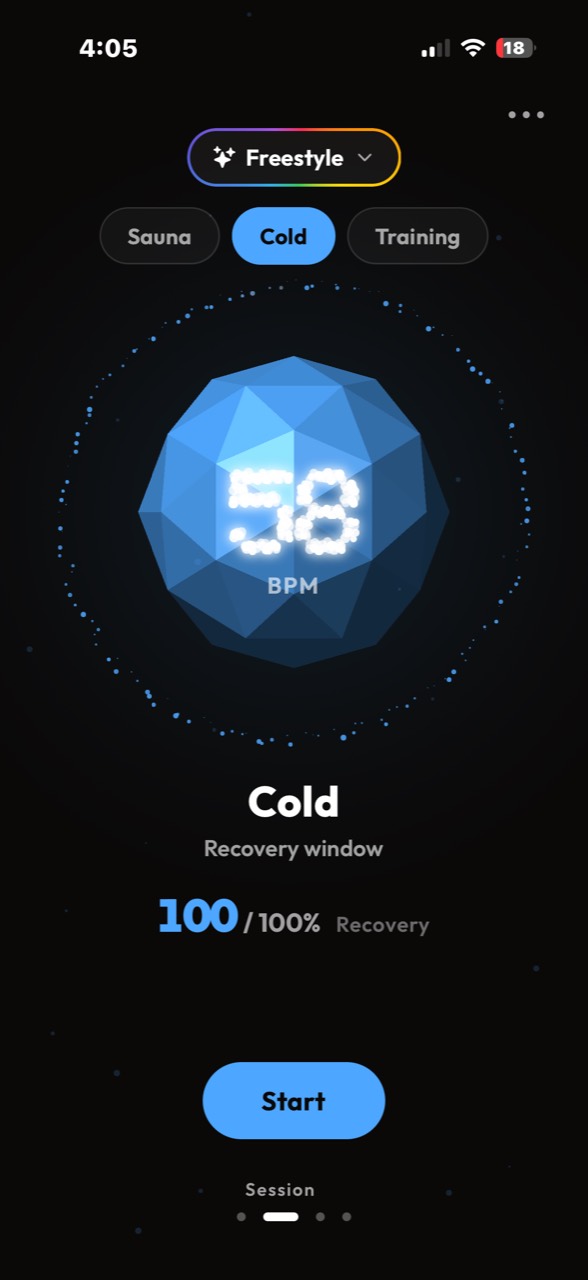
Every session keeps its numbers, its heart-rate curve and a plain comparison with the last one of its kind. For a cold plunge that means where your heart rate started, where it finished and how far it settled.
Share
Five zones
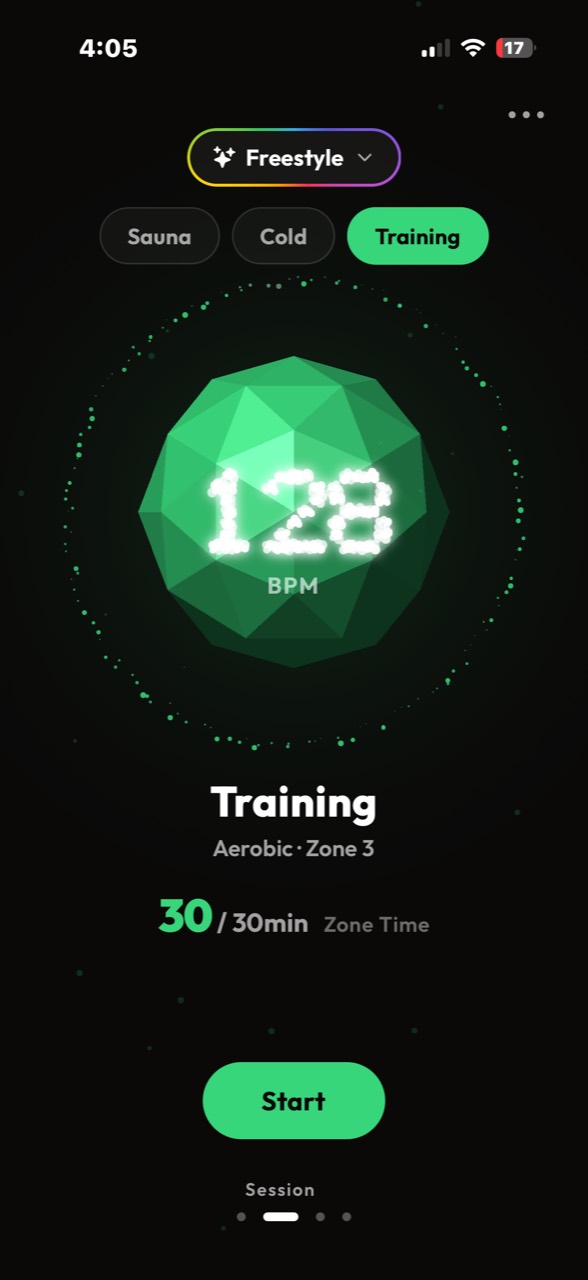
Each zone starts a set number of beats above your resting heart rate: +31, +62, +93 and +124 bpm. No body temperature is measured or estimated.
Wellness estimates to help you read a session, not clinical measurements. Keep your resting heart rate accurate under More; it sets every zone.
What it does
No clutter. No inflated promises. Just the session, recovery and progress information you actually use.
Live heart rate placed into five effort zones plus a Sauna Load score. On the lock screen and Dynamic Island while you sit.
Your heart rate on entry, then how far it settles back toward resting while you stay in, live as a percentage. Round counts for contrast sessions.
Track training in the same session system with optional timing and live zones.
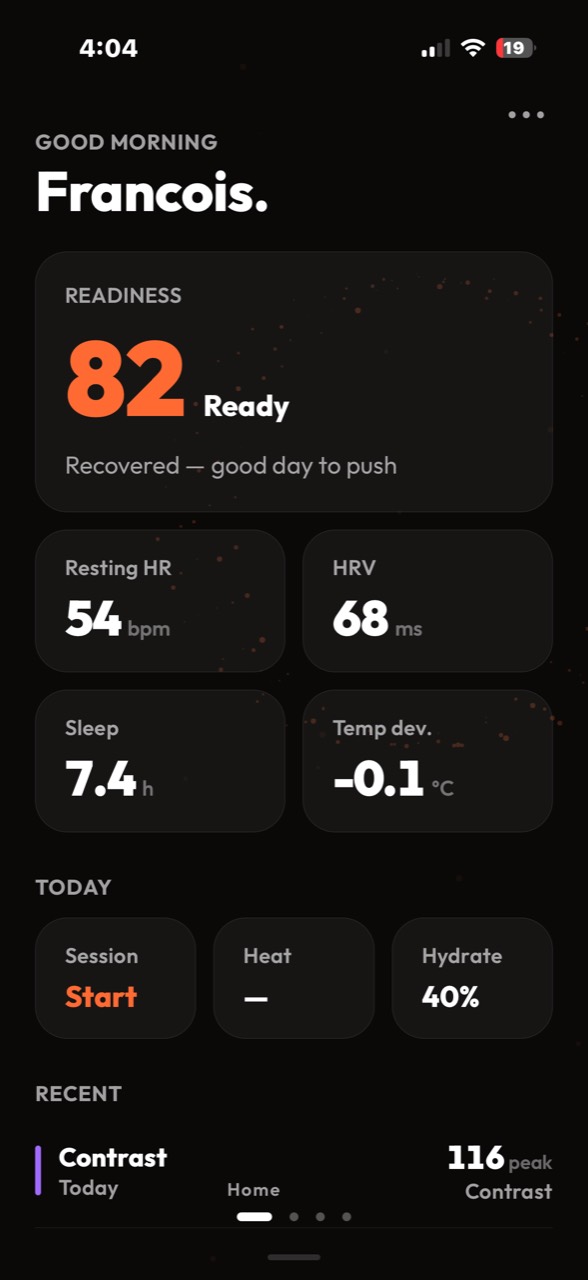
The readiness your Oura or WHOOP already gives you, next to your resting heart rate and recent sessions.
Keep simple water logging close to your daily session and recovery view.
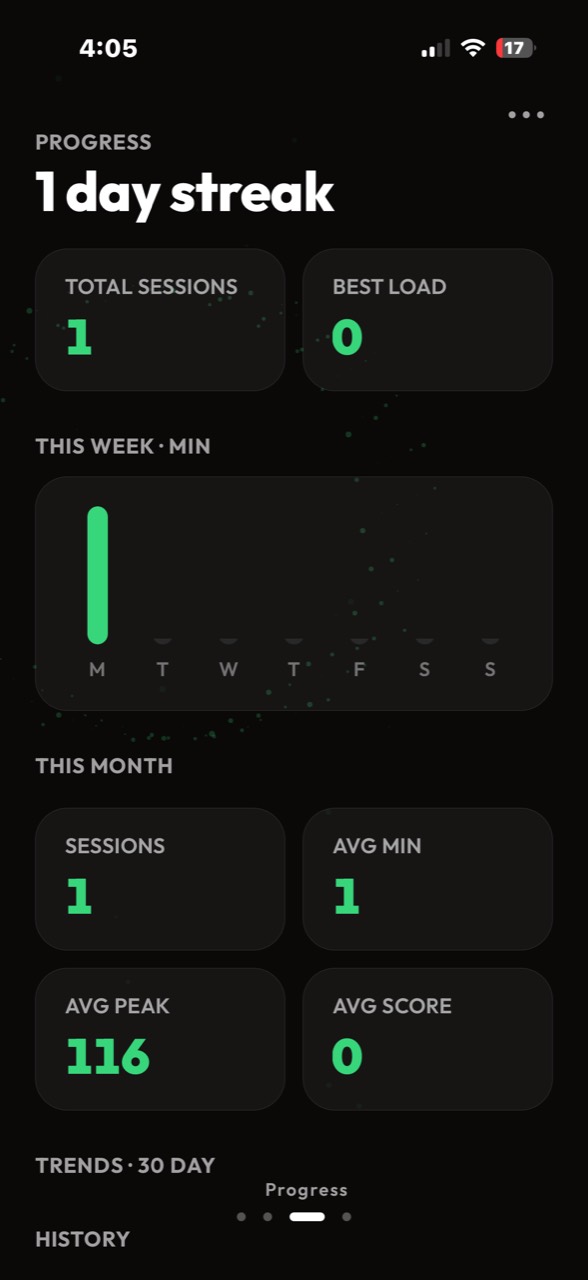
Streaks, weekly minutes, the heart-rate curve of every session, and a share card for any workout.
Early access
TestFlight
SaunaMind is in TestFlight ahead of the App Store. Invites go out in batches as testing spots open.
Built in Australia
Made by SAUNAMIND PTY LTD, a small Australian team that uses the app in real saunas, cold plunges and gyms every week.
@thesaunamind
Session cards, build notes and what we are testing this week.
Questions
No. You can still log sessions without one. A Bluetooth chest strap, or a Garmin watch with Broadcast Heart Rate on, gives you live effort zones.
From our founder: I have personally used Polar heart-rate straps and Garmin watches during more than 180 sauna sessions, and counting, without experiencing any issues. However, this is my personal experience only. Wearable devices may have manufacturer-specified operating-temperature limits and may not be designed for sauna conditions. Heat can affect their accuracy, performance, battery life or warranty. Use any wearable in the sauna at your own discretion and always follow the manufacturer’s instructions and temperature limits. Heart-rate readings are provided for general information only and should not be treated as medical or safety advice.
Yes. Turn on Broadcast Heart Rate on the watch, then connect it from More › Devices › Garmin watch. If it never shows up, pair it once in iPhone Settings › Bluetooth and scan again.
Five ranges based on your live heart rate relative to your resting heart rate: Very Light, Light, Moderate, Hard and Peak. No body temperature is measured or estimated. They are wellness estimates, not clinical measurements.
Yes. With your permission it reads your resting heart rate and writes every finished session to Apple Health as a workout with its heart-rate curve. Health data stays on your device.
No. Sessions can start open-ended. Timers are available when you want structure.
One plan with every feature: AUD $9.99 a year through the App Store. That is the launch price, and it stays yours for as long as you keep your subscription, even after it goes up for new members. Prices vary by country and are shown before you buy.
No. SaunaMind is a general wellness and fitness app. Its scores, zones and readiness context are wellness estimates, not medical measurements.
Join the waitlist and we will send TestFlight access as testing spots open.
More on the support page or in the guide.
Early access
No waitlist. Two steps on your iPhone and you are in.
Install TestFlight from the App Store.
Tap the button below on your iPhone and accept the invite.
On a computer? Send yourself the link: testflight.apple.com/join/WWrpYrYr
Want the setup guide for your device and product updates by email?
One plan with every feature: AUD $9.99 a year through the App Store. That's the launch price, and it stays yours for as long as you keep your subscription, even after it goes up for new members.
We only email the setup guide and product updates. General wellness and fitness only; SaunaMind does not provide medical advice, diagnosis, treatment or monitoring.